.png)
 English

QR Code Decoder






🧩 What Is a QR Code Decoder Tool?
A QR Code Decoder Tool is a free online utility that scans and extracts data from QR codes. QR codes store information like URLs, text, contact details, and Wi-Fi credentials in a compact square barcode. This tool helps you decode QR codes without requiring a smartphone app.
Example:
QR Code: 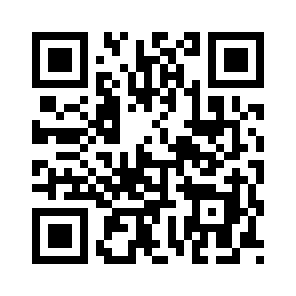
Decoded Text/URL:
This tool is perfect for users, students, businesses, and developers who want to quickly access the hidden data in QR codes.
🚀 Why Use a QR Code Decoder Tool?
QR codes are widely used in marketing, authentication, and data sharing. This tool simplifies decoding by offering:
-
⚡ Instant Decoding: Scan and read QR codes within seconds.
-
📱 No App Required: Works directly in your browser on any device.
-
🐞 Debug QR Codes: Check the contents of generated QR codes.
-
🔐 Security & Verification: Verify the URL or information embedded before visiting.
-
🌍 Free & Online: Fully accessible online with unlimited scans.
💎 Key Features of Our QR Code Decoder Tool
✅ Scan from Image or Upload: Decode QR codes from uploaded images or screenshots.
✅ Support for All QR Types: Standard, URL, text, email, phone, Wi-Fi, and vCard codes.
✅ Fast & Accurate: Extracts information instantly and reliably.
✅ No Installation Needed: Browser-based, works on desktops, tablets, and mobiles.
✅ Free & Unlimited: Unlimited scans, completely free to use.
👩💻 Who Should Use This Tool?
-
Students & Educators: Learn how QR codes store information.
-
Businesses & Marketers: Verify QR codes used in campaigns.
-
Developers & Programmers: Debug QR code generation in apps or websites.
-
General Users: Scan QR codes safely without using a mobile app.
-
Tech Enthusiasts: Explore QR code content and functionality.
⚙️ How to Use the QR Code Decoder Tool
-
Upload a QR code image or paste an image URL containing a QR code.
-
Click the “Decode” button.
-
Instantly view the decoded data, such as a URL, text, or contact information.
-
Copy or use the extracted information as needed.
💡 Tip: Always verify URLs and scan codes from trusted sources to avoid phishing or malware risks.
🧠 Best Practices & Pro Tips
-
🔒 Scan Safely: Avoid scanning QR codes from unknown or suspicious sources.
-
🧩 Verify Information: Check the extracted URL or text before following it.
-
⚡ For Developers: Use the tool to debug QR code generation scripts.
-
🕵️ Educational Use: Learn how QR codes encode data for study or projects.
-
😎 Quick Sharing: Decode and instantly access content from printed or digital QR codes.
🌟 Benefits of Using Our Tool
-
Decodes QR codes instantly and accurately.
-
Works with all types of QR codes including URLs, text, emails, and contacts.
-
Free, fast, and fully online — no software installation required.
-
Mobile-friendly and compatible with all modern browsers.
-
Saves time and improves productivity by quickly accessing encoded information.
❓ FAQs – QR Code Decoder Tool
1. What does a QR Code Decoder do?
It scans a QR code image and extracts the hidden data such as URLs, text, or contact info.
2. Can it decode all types of QR codes?
Yes, it supports standard QR codes including URL, text, email, phone, Wi-Fi, and vCard types.
3. Do I need a smartphone to use this tool?
No, it works directly in your web browser on any device.
4. Is this tool free?
Yes, the QR Code Decoder Tool is completely free and unlimited.
5. Can I decode multiple QR codes at once?
Currently, the tool decodes one QR code at a time. For batch processing, upload images separately.
🏁 Final Thoughts
The QR Code Decoder Tool is a fast, reliable, and easy-to-use solution for scanning and decoding QR codes. Whether for education, marketing, security, or casual use, this tool instantly reveals the data hidden inside any QR code.
✅ Fast, ✅ Accurate, and ✅ Browser-Friendly — decode QR codes online instantly!

